Setup
Connect Claude Code to an encrypted knowledge base over MCP
Run from your home folder, approve this computer in your browser and restart Claude Code: it can then search, read and write the notes you picked, over MCP. Every change it makes is signed as Claude Code's and can be undone in one click, and your notes stay end-to-end encrypted.
By Fadel Kaadan · Updated
What Claude Code can do once it's connected
Knowtarium is an end-to-end encrypted knowledge base that people and their own AI agents work in. Claude Code connects to it over MCP, through a small server that runs on your computer and decrypts notes there. Once it's connected, Claude Code can:
- Search and read your notes, follow the links between them and find related notes, in the workspace and folders you gave it.
- Create and edit notes. Each change is saved at once, signed with Claude Code's own key and kept in the history, so you can see what it did and undo it in one click.
- Follow your folder instructions. What you write for a workspace or folder in the app (its
AGENTS.md) reaches Claude Code wherever it reads and writes there. It can only propose changes to those instructions, never make them. - Wait for you where you want it to. Turn on review ("Ask me first") for a workspace or folder, and Claude Code's note changes there wait as diffs for you to approve or reject. Folder changes there are refused instead, and Claude Code tells you what it would change.
- Move or delete notes and change folders, only if you gave it those permissions, and it's told to do this only when you ask in your conversation.
It can't reach a workspace or folder you didn't give it, sign as you, mark a note as checked by you, or skip review where you turned it on. The full list is on the agents page.
What Anthropic sees
Our servers only ever hold your notes as ciphertext. The knowtarium CLI decrypts them on your computer and hands Claude Code only what its tools return. Whatever Claude Code reads goes to Anthropic, like anything else you give it, so connect it only to the notes you'd share with it. How the encryption works is on the security page.
Set it up with npx knowtarium connect
You need Node.js 20 or later (22 or 24 recommended) and a free Knowtarium account. Open a terminal and run the command from your home folder. npx trusts the folder it runs in, so running it inside a project would let that project's files stand in for Knowtarium's.
Opening the browser to connect this computer to Knowtarium.Connected to workspace ws_8f2k (read and write).Add Knowtarium to which agents? Claude Codeadded to Claude Code (/Users/you/.claude.json)previous file saved as /Users/you/.claude.json.knowtarium-backup-<time>
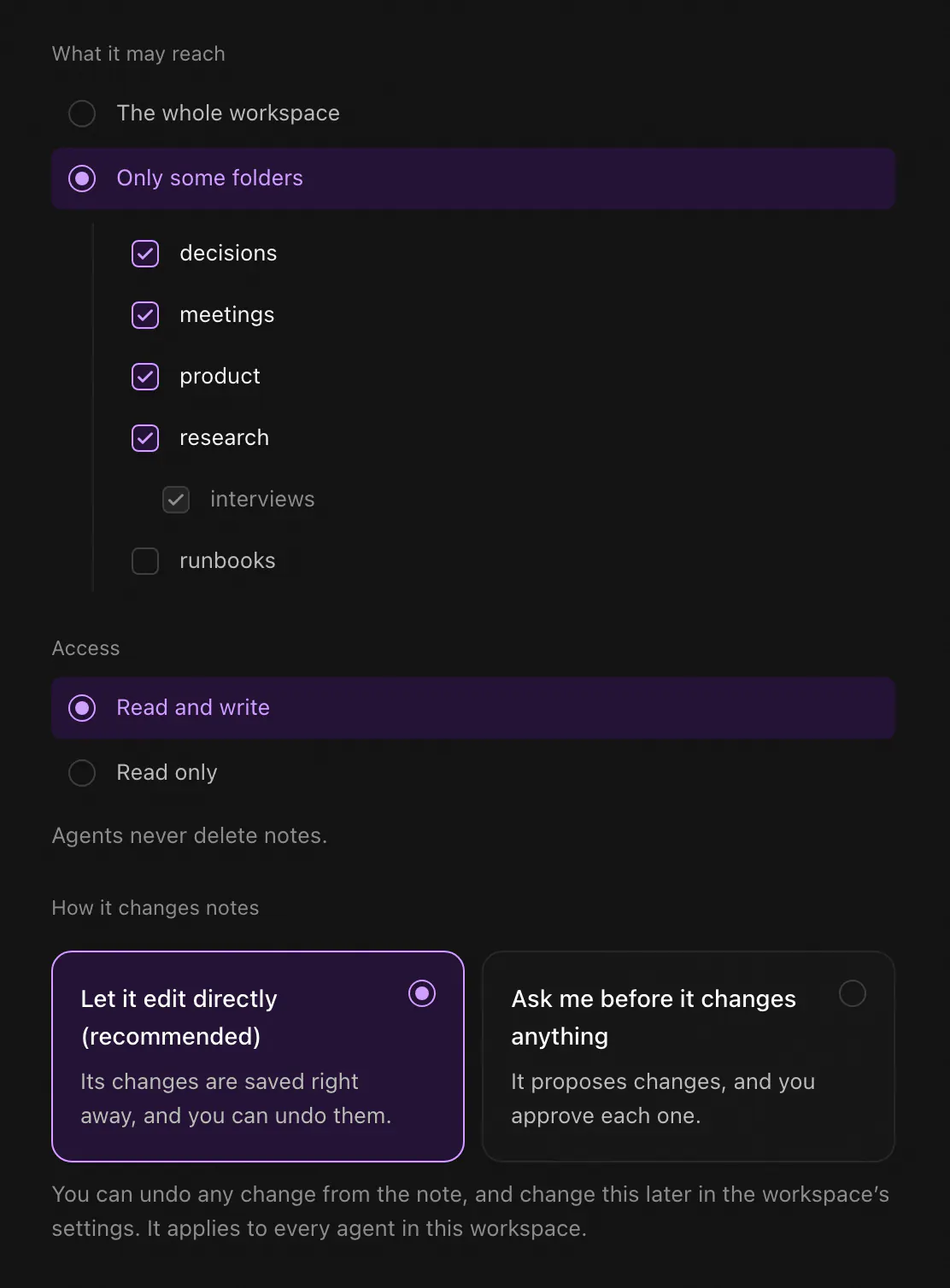
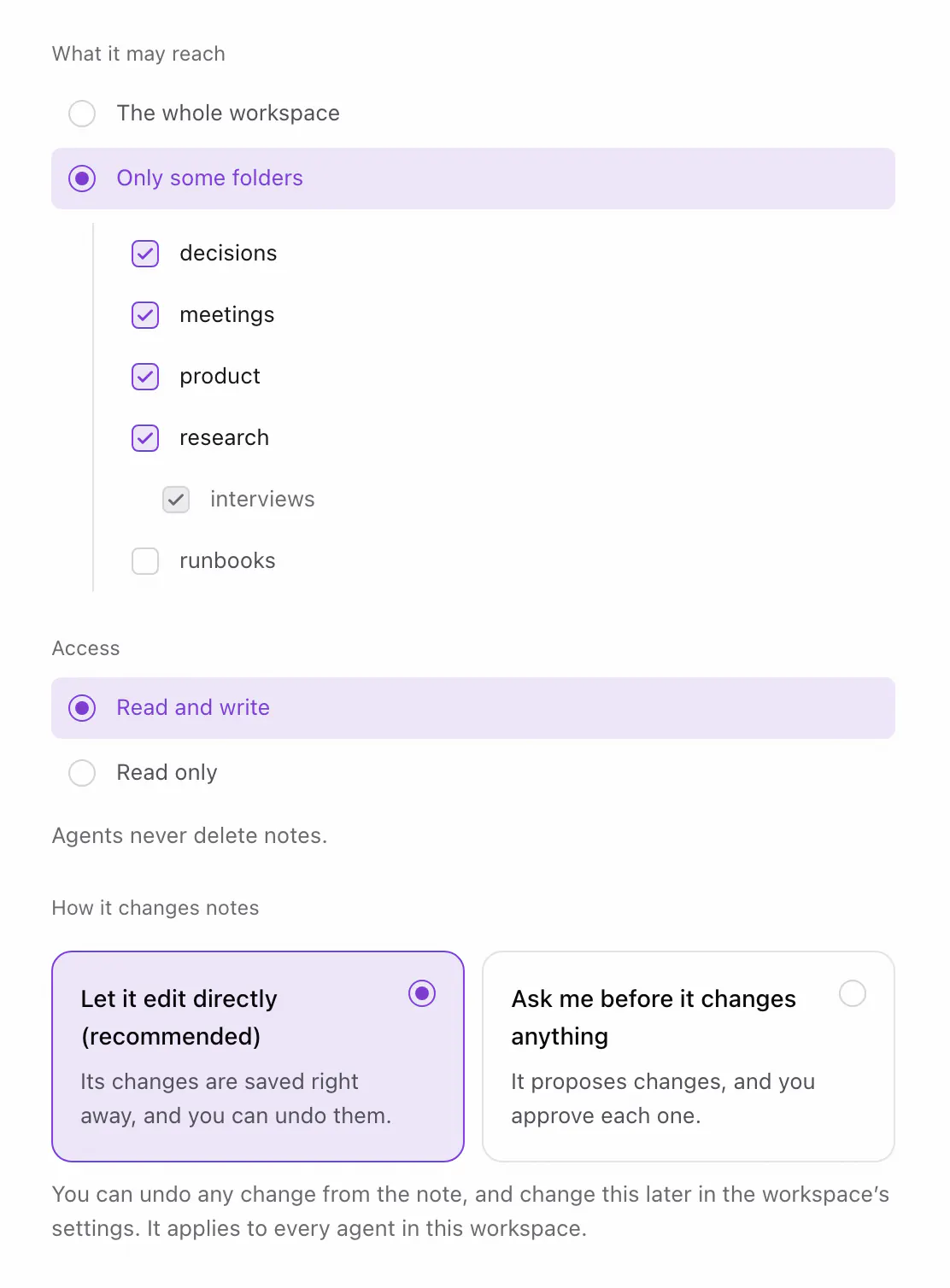
- Approve this computer. Your browser opens Knowtarium. Name the agent, pick what it can reach (see below) and click Allow, but only if you ran the command yourself. Over SSH, where the browser can't reach the terminal, you confirm a matching code in both places instead.
- Pick the agents. The CLI lists the agents it finds on your computer, all ticked. Press Enter to add Knowtarium to all of them, or untick some first (arrows move, space toggles,
atoggles all, Esc adds none). - Claude Code gets its entry. The CLI adds Knowtarium to Claude Code's user settings in
~/.claude.json(in$CLAUDE_CONFIG_DIRwhen you set that). It leaves your other servers and settings as they are and backs up the previous file next to it. The entry starts the server from your home folder, never from the project Claude Code has open. - Restart Claude Code. It picks up new servers when it starts, so quit any session that was already running and start it again.
No password, token or key goes in Claude Code's settings. The connection is stored encrypted, with its key in your system keychain (or a file only you can read where there is none). To see what the CLI would change before it writes anything, run . The CLI is open source: the code is on GitHub.
 (opens full size in a new tab)
 (opens full size in a new tab)
Or install the Claude Code plugin
The Knowtarium plugin holds the same MCP server, pinned to a tested knowtarium release, and a skill for working in a Knowtarium workspace (knowtarium-conventions). It also needs Node.js 20 or later, and its launcher starts the server from your home folder. In Claude Code:
On Claude Code 2.1.275 or later, one line does both:
From a shell, on Claude Code 2.1.292 or later:
Then connect this computer once. Ask Claude to connect Knowtarium, and your browser opens so you can approve this computer. Or run the command with --no-agents, from your home folder: the plugin already runs the server, and without the flag the command would add a second one.
On Windows
On Windows, Claude Code looks for the plugin's node in the project folder first, so a node.exe placed in a project you open would start instead of Node.js. For the hardened setup, skip the plugin and use from your home folder (or , if this computer is already connected). The entry it writes names cmd.exe by its full path. If you already installed the plugin, remove it or turn it off in /plugin first: otherwise the command leaves Claude Code unticked and the plugin keeps running.
Plugin or connect command?
| npx knowtarium connect | Plugin | |
|---|---|---|
| What it adds | The server, to Claude Code and the other agents it finds | The server and the knowtarium-conventions skill, to Claude Code |
| Connecting this computer | Part of the command | Ask Claude, or |
| Updating | Update the plugin in Claude Code | |
| Windows | The hardened setup | Use the command instead |
Either way, Claude Code gets the same tools and the same conventions with them. Pick one: the command leaves Claude Code unticked when it already has the plugin, so the server doesn't run twice. If you ran the command first and installed the plugin later, the CLI keeps updating the entry of its own, which runs a second server. To keep only the plugin's, run .
Choose what Claude Code can reach
The page the command opens decides what this connection can do. Everything is scoped to the one agent, and the server enforces it:
- One workspace. Each connection reaches exactly one. To give Claude Code another, run again, pick the other workspace, and restart Claude Code. The first connection stays.
- Some folders, if you like. Tick only the folders it needs. It also reads the instructions of the folders above them, but can't propose changes to those.
- Read or read-write. Start read-only if you only want answers from your notes.
- More than editing, only if you tick it. Moving notes, deleting notes, and creating, renaming, moving or deleting folders are six separate permissions, each off by default.
You can change all of it later in the app under Settings, Agents, and each time you sign the new set. Revoke Claude Code there and it's shut out at once, and the workspace gets a new key, so it can't read anything written after that. From the terminal, revokes this computer's access and deletes its local keys and cache.
Claude Code's memory and your knowledge base
Claude Code already has memory: a CLAUDE.md you write, which loads in every session, and auto memory it writes itself, which stays on one machine. Both are good at how to work in a project. Neither is a good home for the knowledge itself: decisions, research, meeting notes and the facts several agents and people rely on.
That's what the knowledge base is for. Keep your project rules in CLAUDE.md, and let Claude Code look up and write down what it learns in Knowtarium, where every other agent you connect sees the same notes. Our Claude Code second brain guide covers CLAUDE.md and auto memory in detail.
In Knowtarium
Rules for the notes themselves go in the workspace's own instructions, an AGENTS.md you write in the app, which Claude Code and every other connected agent follow. Our guide to AGENTS.md for knowledge bases has a template to start from.
Prompts to try first
You don't need special commands: ask in plain words and Claude Code picks the tools. These are good first prompts, from read-only to small, specific edits:
> What can you do in my Knowtarium workspace?> Search my notes for the pricing decision and answerwith links to the notes you used.> Read the meetings folder and write this week's summaryas a new note. Don't change the meeting notes.> Add today's call notes to the Acme project note.Change nothing else in it.> What's in my inbox? Suggest one thing to do with each clip.
The first one is a quick check that the connection works: Claude Code usually names the workspace and says whether its changes are saved at once or wait for your approval. The last one reads the clips you saved with the web clipper. Keep early edits narrow, and say what must not change: it's easier to review four changed notes than forty.
Check and undo what Claude Code changed
Every change Claude Code makes is signed with its own key, so you always know which edits were its:
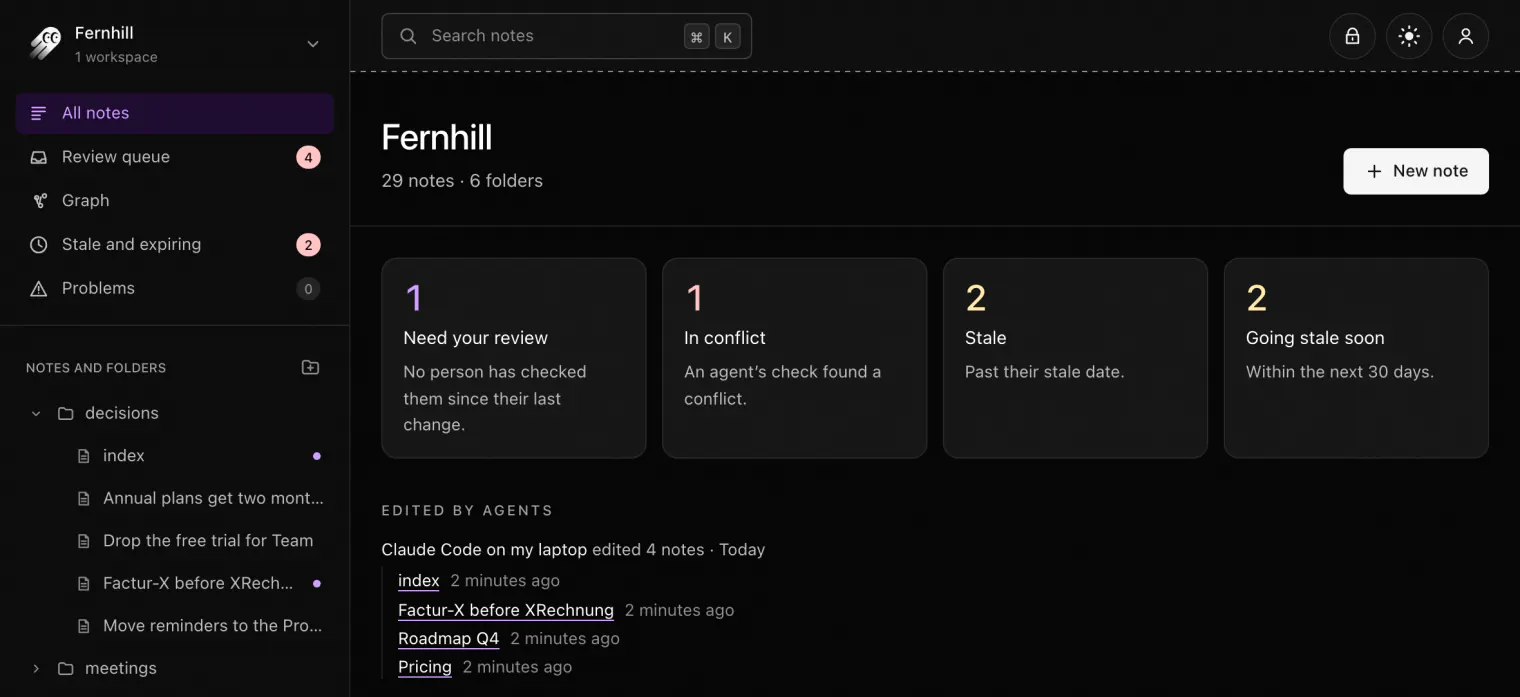
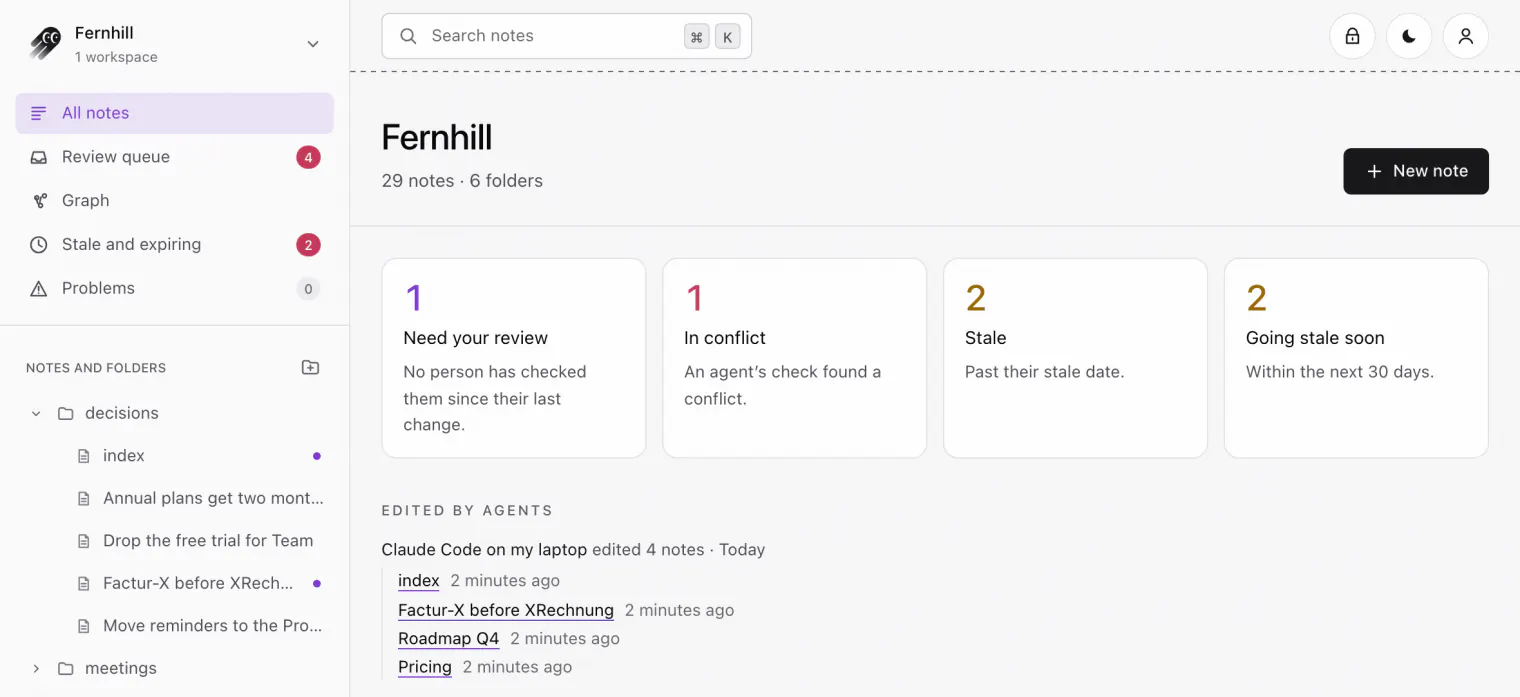
- A dot in the sidebar marks each note it edited until you open it, and the workspace page lists them under Edited by agents.
- Under a note's title, a line says Claude Code edited it, with See changes for the diff and Undo to bring back the version before.
- Deletes, moves and folder changes are listed on the workspace page for two weeks, or your history period if that's shorter, under Deleted and reorganized by agents, with Undo and Undo this agent's last 24 hours. A deleted note comes back while your history period keeps it.
- The history keeps every version for as long as you set, from a day to a year. In folders with review on, changes wait in the review queue instead.
 (opens full size in a new tab)
 (opens full size in a new tab)
Our guide to reviewing agent edits has a routine for checking what an agent changed before you rely on it.
Troubleshooting
Claude Code doesn't see Knowtarium
Restart Claude Code after adding Knowtarium: a session that was already running doesn't pick up new servers. If you used the plugin, check that it's installed and enabled in /plugin.
Check the connection
shows the connected workspaces, their access and changes, the token and the local cache, and says where the keys are kept.
knowtarium says to update
Run from your home folder. It points your agents at the new version. Then restart Claude Code. With the plugin, update the marketplace and then the plugin in Claude Code (, then and Update now), and restart.
Changes wait for approval when you expected them saved
Claude Code tells you whether each change was saved or proposed, and why: the folder asks for review, the workspace's settings couldn't be verified, today's limit of direct changes was reached, or this connection can only propose. For the last one, run again from your home folder, then restart Claude Code.
On Windows
Use (or ) from your home folder rather than the plugin, as described above.
Don't add it by hand
Use the connect command or the plugin, not a server entry you write yourself or one an MCP registry installs (Knowtarium isn't in the MCP Registry yet). Those run npx inside the project Claude Code has open, where a project's own files could stand in for Knowtarium's.
Questions
Does Anthropic see my notes?
Anthropic sees what Claude Code reads, like anything else you give it. Notes are decrypted only on your computer, and Knowtarium's servers hold them only as ciphertext. Connect Claude Code to only the folders it needs, or read-only, to limit what it can read.
Can Claude Code delete my notes?
Only if you gave it the permission to delete notes, which is off by default, and it's told to delete only when you asked for it in your conversation. In folders set to Ask me first, a delete waits for your approval. Each delete is listed on the workspace page with Undo, and the note comes back while your history period keeps it.
Does Knowtarium work in every Claude Code project?
Yes. npx knowtarium connect adds Knowtarium to Claude Code's user settings in ~/.claude.json, not to one project, so it's there whichever folder you start Claude Code in. The server always runs from your home folder, never from the project you have open.
Should I use the plugin or npx knowtarium connect?
Either works and runs the same server. The plugin adds the knowtarium-conventions skill and updates through Claude Code; the command also sets up any other agents it finds, such as Codex or Cursor. On Windows, use the command, not the plugin.
Can I connect claude.ai in the browser?
Not yet. Connectors for claude.ai and ChatGPT are coming later. Today you can connect Claude Code, Claude Desktop (with the extension or the command), Codex, Cursor, OpenCode and VS Code.
Do I still need CLAUDE.md?
Yes, for how to work in a project. Knowtarium holds the knowledge itself, and its folder instructions, written in the app, apply to every agent you connect, so rules for the notes belong there.